Notifications
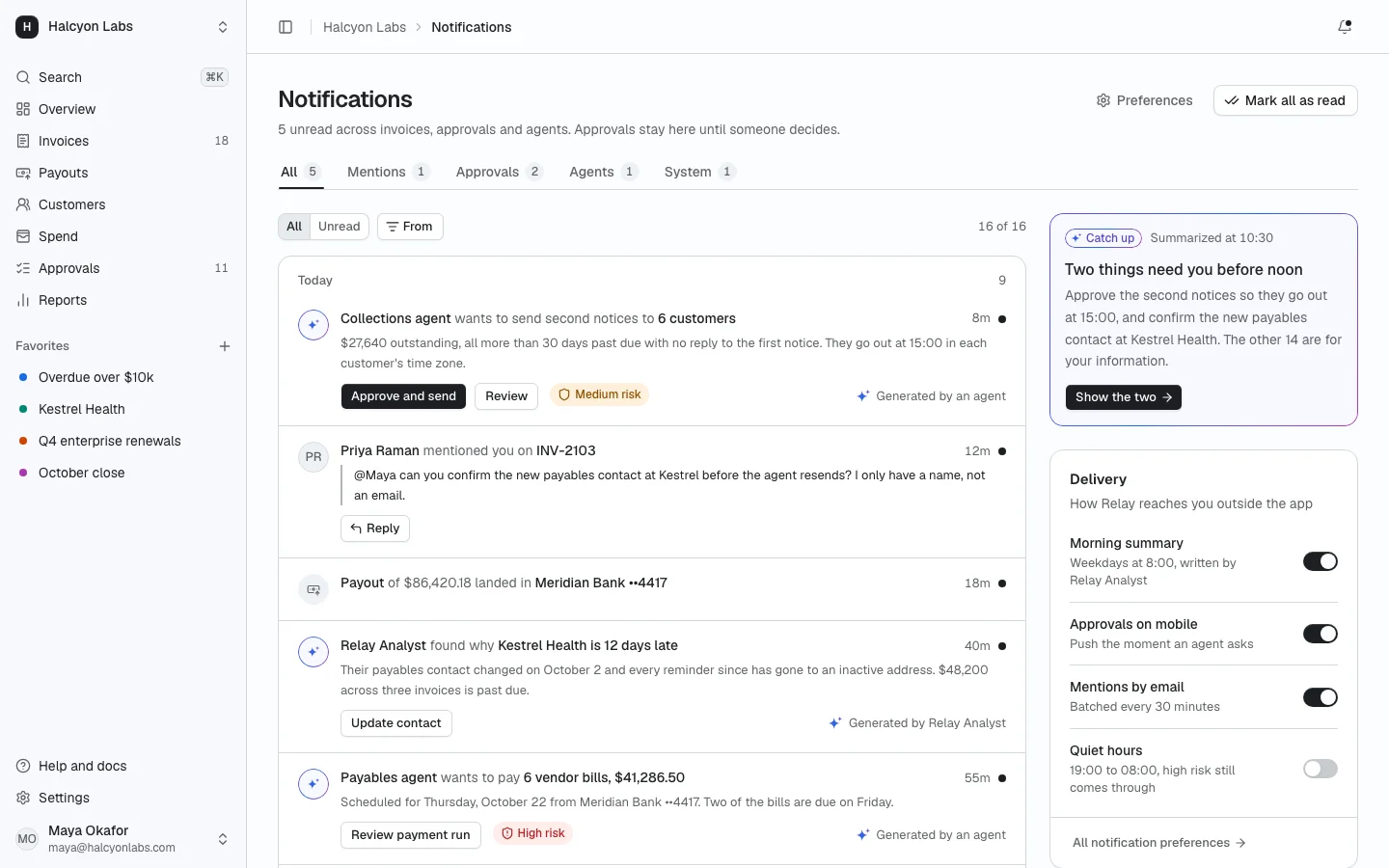
ProA notification center inside the app shell: tabs for mentions, approvals, agents and system events, grouped by day, with inline approve, reply and mark read. AI written items carry the AI mark, and the bell in the header opens a compact popover version.
Install
The screen lands in app/notifications/ with every component it uses. Change it like any other code in your app. It is part of Prodular UI Pro, so run npx prodular-ui login first. See pricing.
npx prodular-ui add notificationsStates
The screen ships with 5 states. Pick one with the tabs above the preview, with ?state= in the URL, or with the state prop from your app.
- Default
- Bell popover
- All caught up
- Loading
- Error
Files
- app/notifications/page.tsx
- app/notifications/notification-item.tsx
- app/notifications/app-shell.tsx
- app/notifications/data.ts