Approvals queue
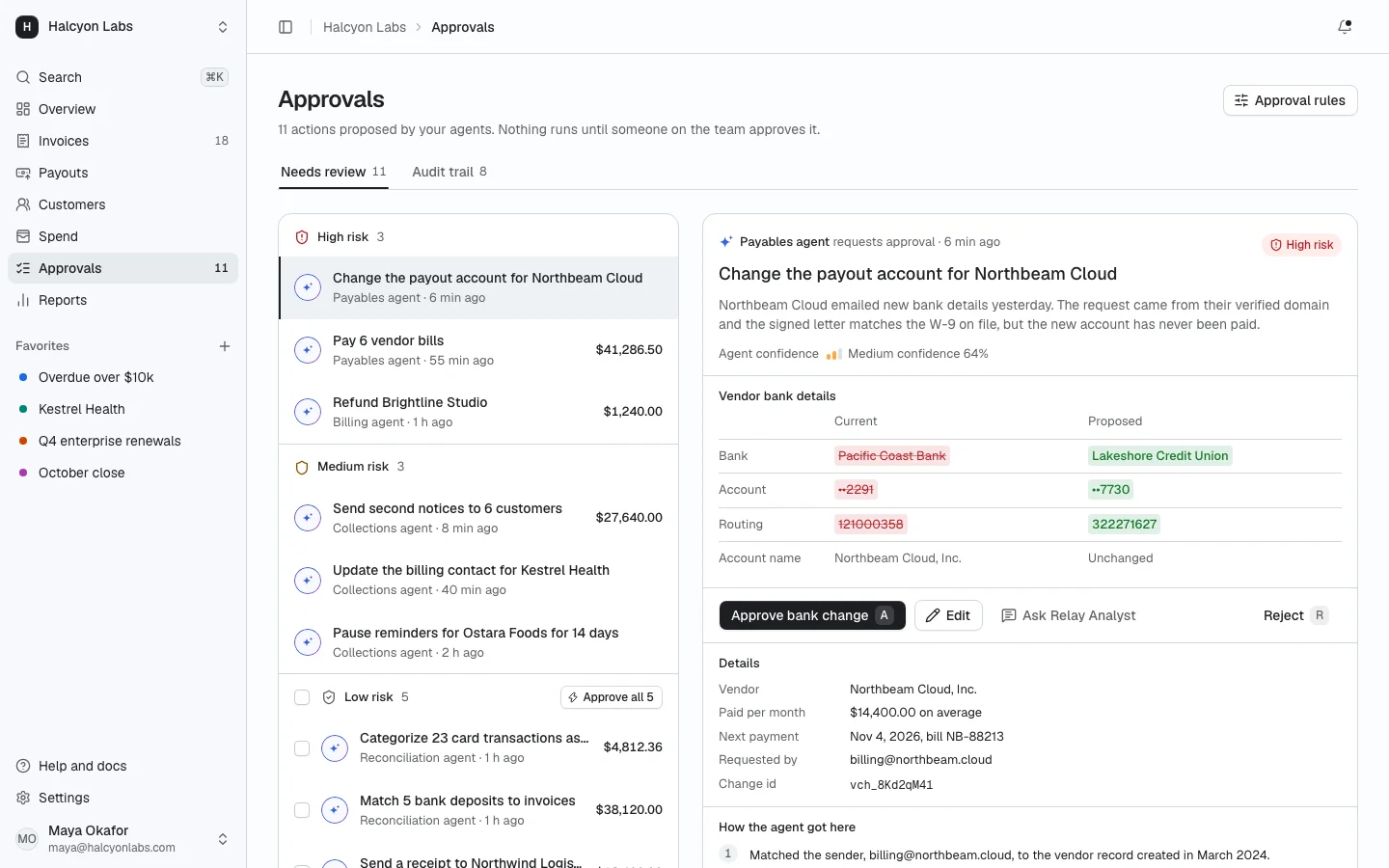
ProHuman in the loop at scale: every action your agents propose, grouped by risk. Selecting one shows the request with a before and after, parameters, the agent's reasoning, confidence and sources. Bulk approve low risk work, review with J, K, A and R, and keep an audit trail of every decision.
Install
The screen lands in app/approvals-queue/ with every component it uses. Change it like any other code in your app. It is part of Prodular UI Pro, so run npx prodular-ui login first. See pricing.
npx prodular-ui add approvals-queueStates
The screen ships with 4 states. Pick one with the tabs above the preview, with ?state= in the URL, or with the state prop from your app.
- Default
- Nothing to review
- Loading
- Error
Files
- app/approvals-queue/page.tsx
- app/approvals-queue/approval-detail.tsx
- app/approvals-queue/app-shell.tsx
- app/approvals-queue/data.ts