Knowledge sources
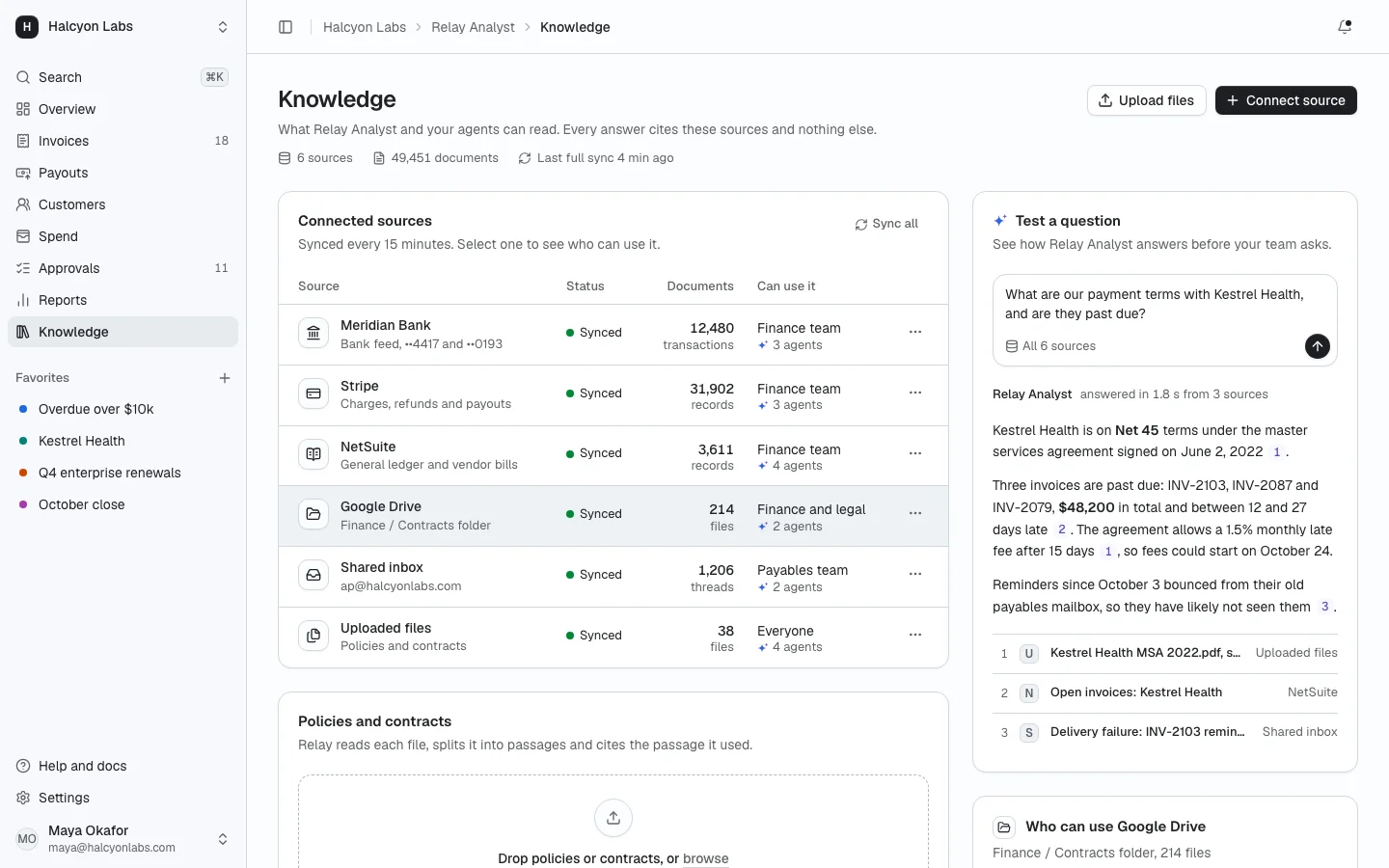
ProWhat the AI assistant and agents can read: connected sources with sync status, document counts and errors, an upload area with indexing progress, per source access for people and agents, and a test box that answers from the sources with citations.
Install
The screen lands in app/knowledge-sources/ with every component it uses. Change it like any other code in your app. It is part of Prodular UI Pro, so run npx prodular-ui login first. See pricing.
npx prodular-ui add knowledge-sourcesStates
The screen ships with 5 states. Pick one with the tabs above the preview, with ?state= in the URL, or with the state prop from your app.
- Default
- No sources yet
- Syncing
- Sync failed
- Loading
Files
- app/knowledge-sources/page.tsx
- app/knowledge-sources/source-glyph.tsx
- app/knowledge-sources/app-shell.tsx
- app/knowledge-sources/data.ts