Team and roles
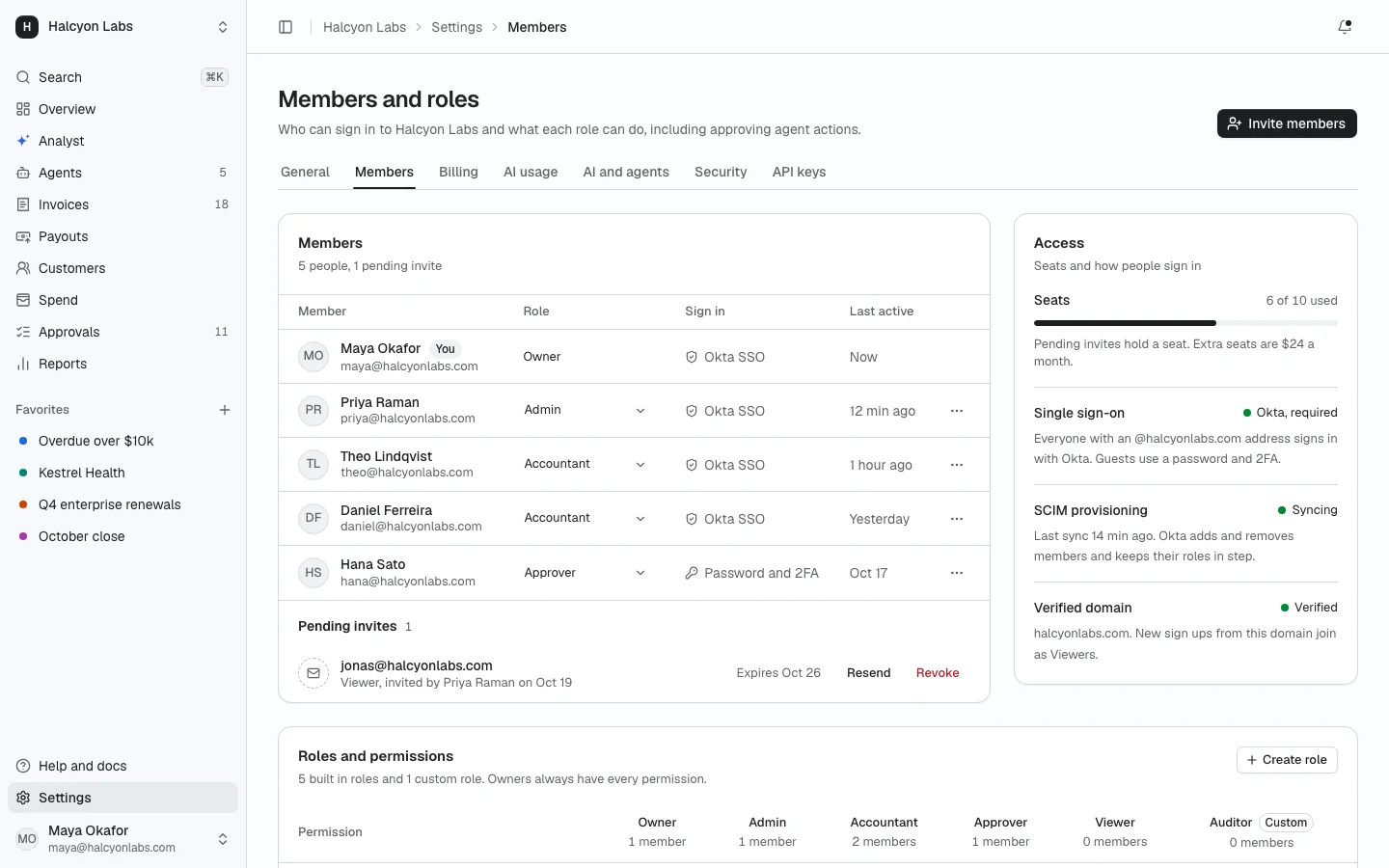
ProMembers with inline role changes, an invite dialog with email chips and a role picker, pending invites, seats with SSO and SCIM status, and a roles and permissions matrix with custom roles.
Install
The screen lands in app/team-roles/ with every component it uses. Change it like any other code in your app. It is part of Prodular UI Pro, so run npx prodular-ui login first. See pricing.
npx prodular-ui add team-rolesStates
The screen ships with 4 states. Pick one with the tabs above the preview, with ?state= in the URL, or with the state prop from your app.
- Default
- Only the owner
- Seat limit
- Loading
Files
- app/team-roles/page.tsx
- app/team-roles/invite-dialog.tsx
- app/team-roles/roles-matrix.tsx
- app/team-roles/settings-header.tsx
- app/team-roles/app-shell.tsx
- app/team-roles/data.ts